
Know where every job stands.
Keep the price, customer, photos and progress with the work order.
Made for tradespeople. Available on iOS & Android.
The jobs. The customers. The paperwork. Keep it all in one place, so you can get on with the work.
Start free · Up to 10 work orders a month
Professional features available with a subscription.
FOR PEOPLE WHO GET THINGS DONE
PlumbersElectriciansBuildersGardenersCleanersRepair workshopsFrom the first quote to the next visit, the details stay together.
Keep the price, customer, photos and progress with the work order.
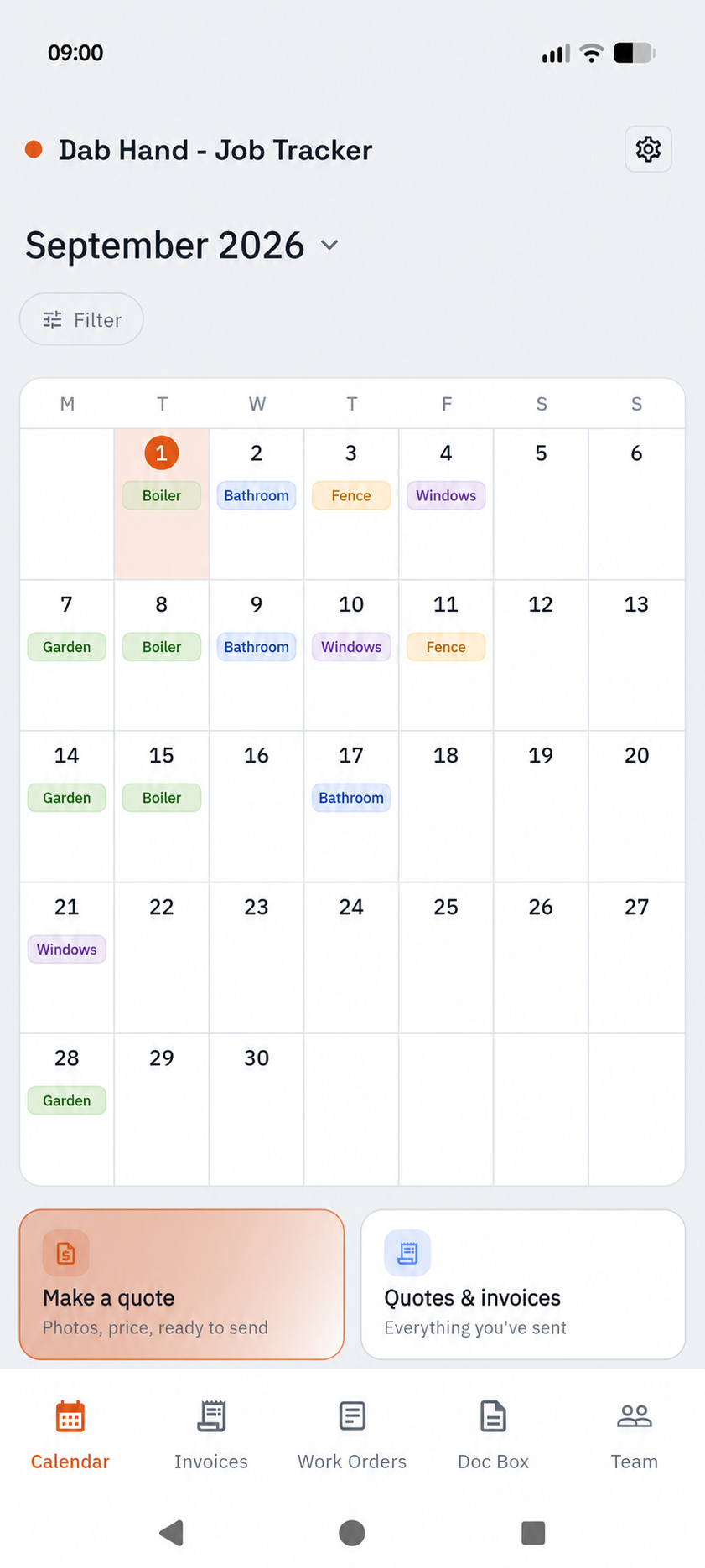
A colour-coded calendar for one-off jobs and regular visits.
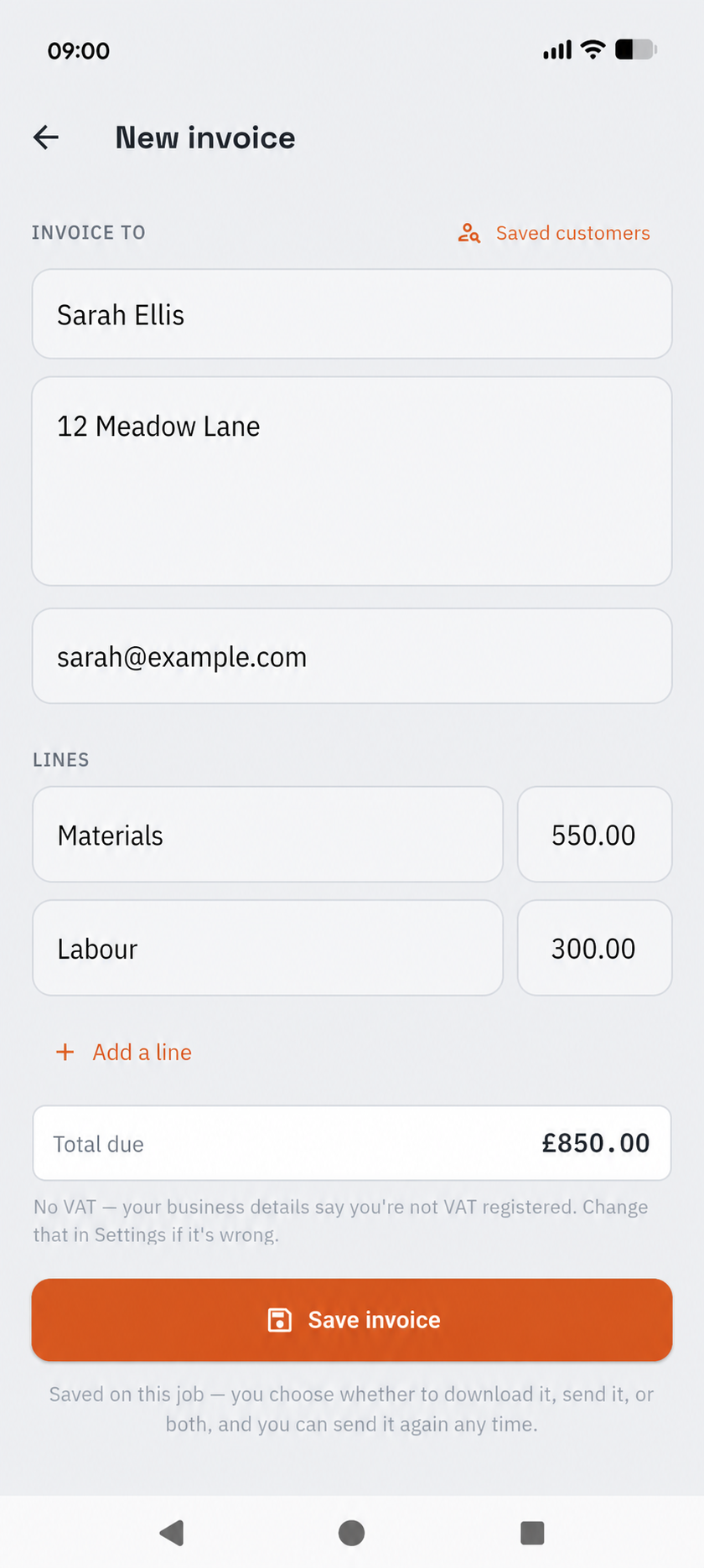
Create quotes and invoices with your business details and branding.
Photos, prices, customers and progress. Find what you need without piecing it together from messages and notebooks.
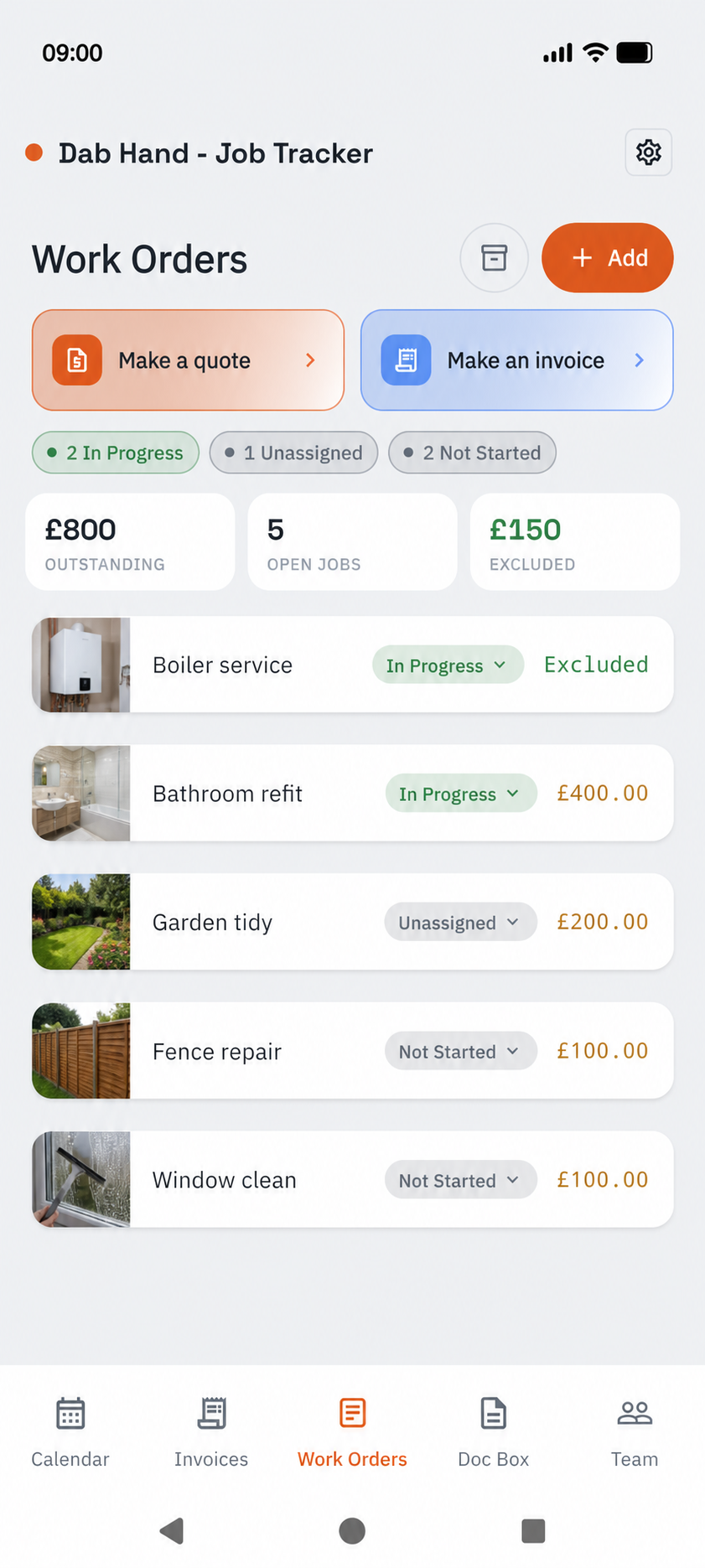
Work orders · Tap the screen for a closer look ↗
Keep your customer list close, find the right address and see the next visit. A clearer way to keep up with your regulars.
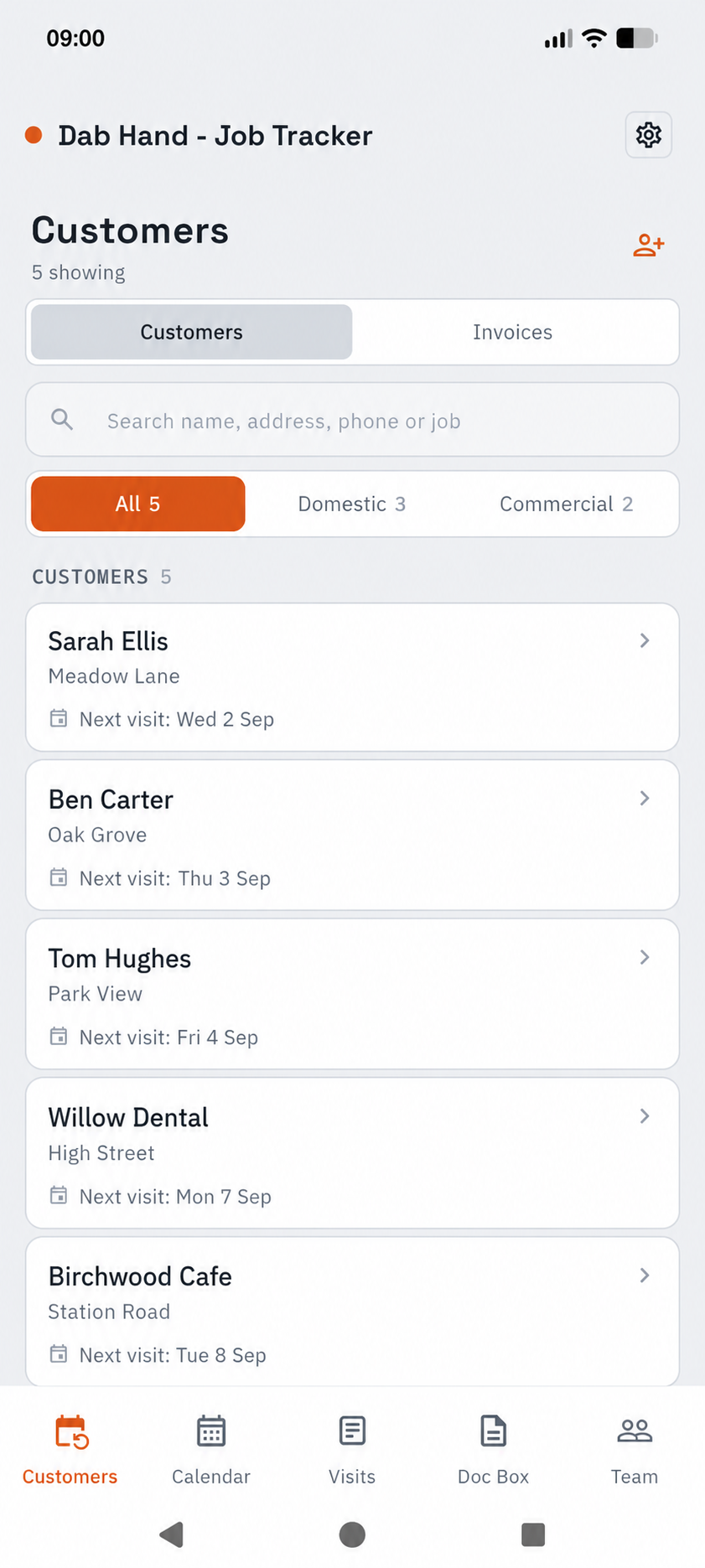
Customers in Field service · Tap to explore ↗
Screens enhanced with fictional example data. Layouts and navigation vary with your business type, device and settings.
Put the work, the price and the customer into a quote. Once accepted, book it into your calendar. Create the invoice when you’re ready.
Invoicing is a Professional feature.
Already use QuickBooks? Keep reading ↓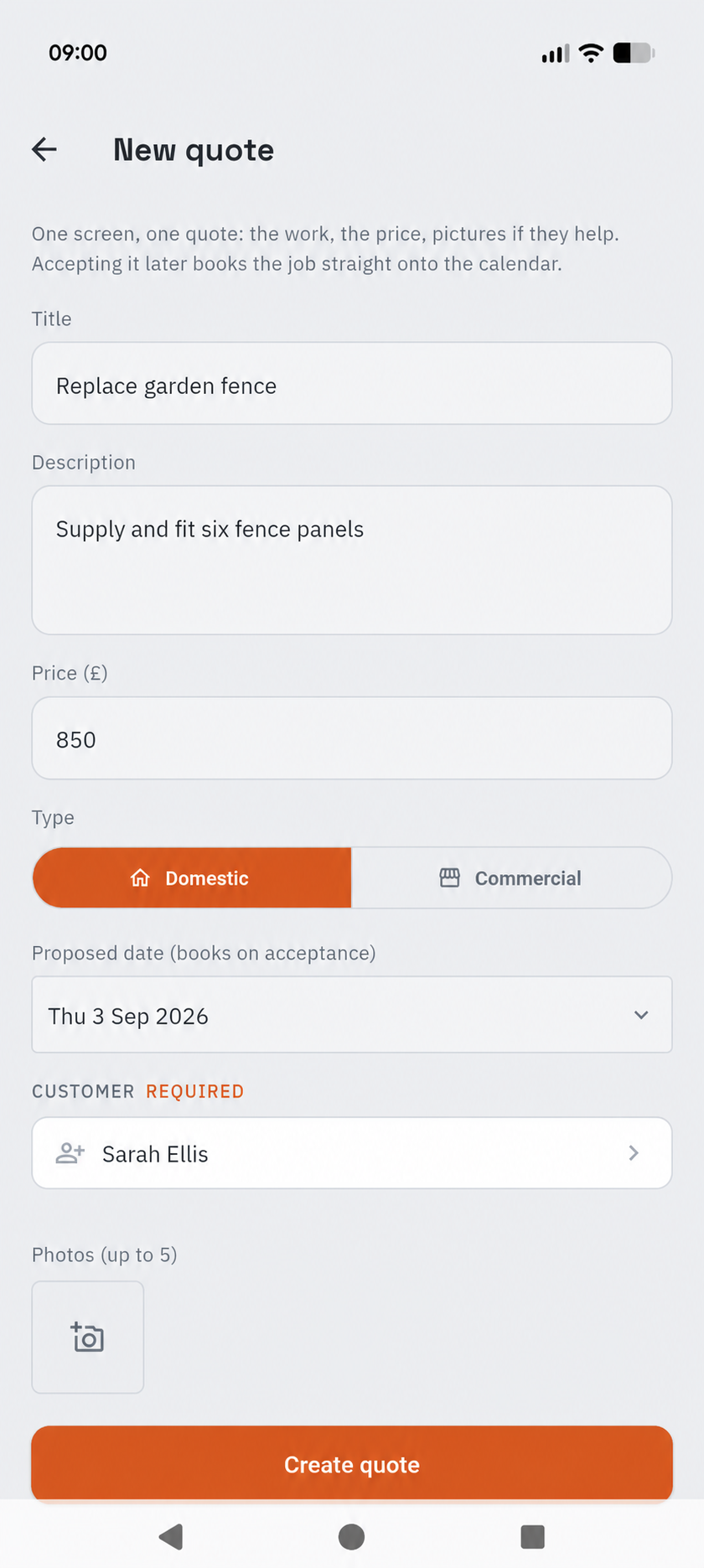
One-off jobs or repeat visits. See the month, move a booking and plan the day’s route from the same app.
Put your next job in Dab Hand ↗A colour-coded wall planner makes the month easier to read.
Set repeating jobs and keep track of returning customers.
Use the day’s jobs to plan your route before you leave.
Create your invoice in Dab Hand, then send it to QuickBooks Online without typing it all out again.
See how the integration works ↗
Requires Dab Hand Professional and a compatible QuickBooks Online plan. You choose which invoices to send; this is not automatic background syncing.
QuickBooks is a trademark of Intuit Inc.
Choose the setup that fits your work. Dab Hand has three business types, with navigation built around each one.
For one-off jobs and project work. Keep work orders, customers and paperwork together.
Plumbing · Electrical · BuildingFor regular rounds and recurring visits. Put customers, visits and your calendar at the centre.
Gardening · Cleaning · ServicingFor work that comes to you. Follow work orders through your production or repair stages.
Repairs · Restoration · FabricationStandard includes up to 10 work orders a month. Move to Professional when you need unlimited work orders, invoicing and the QuickBooks integration.
See current subscription prices and any trial offers in the app. Team seats are billed separately.
Find your app storeGive your jobs, customers and paperwork a place to belong.